
Product Introduction
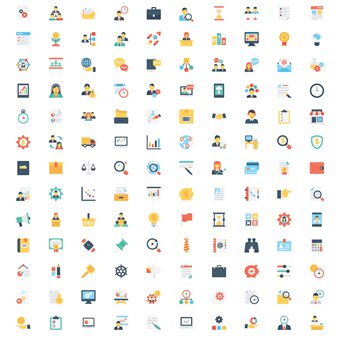
🖼️ Explore our comprehensive icon collection featuring hundreds of professionally crafted vector icons designed to elevate your design projects. This extensive icon set is perfect for UI designers, web developers, app designers, graphic designers, and content creators who need high-quality, consistent icons for their projects. Each icon has been meticulously designed with attention to detail, ensuring clean lines and perfect proportions that look stunning at any size. The collection features a cohesive visual style that ensures all icons work beautifully together, whether you use them individually or in combination. These versatile icons are suitable for websites, mobile apps, presentations, print materials, marketing materials, and much more.
📦 What’s Included:
- ✅ Complete icon set in AI (Adobe Illustrator) vector format for unlimited editing flexibility
- ✅ Scalable SVG files perfect for web and app development
- 🖌️ High-resolution PNG files with transparent backgrounds in multiple sizes
- 📂 Organized folders by category for easy navigation
- 🎨 Easy color customization – change colors to match your brand
- 📋 Bonus icon variations and alternative styles
📥 How to Get
Once your payment is confirmed, you will receive an instant download link on the order confirmation page. A confirmation email with the download link will also be sent to your registered email address. The package contains all icon files in various formats, organized into clearly labeled folders by category. Simply download the ZIP file, extract it, and start using the icons immediately in your design software or projects.
🎯 Usage Guide
For Vector Editing (AI, SVG):
1. Extract the downloaded ZIP file
2. Open the AI or SVG folder to access vector files
3. Open your preferred design software (Adobe Illustrator, Figma, Sketch, Inkscape, etc.)
4. Import or open the icon files
5. Customize colors, sizes, and other attributes as needed
6. Export in your preferred format
For Direct Use (PNG):
1. Extract the ZIP file
2. Navigate to the PNG folder
3. Choose the appropriate size folder (128px, 256px, 512px, etc.)
4. Select the PNG icons you need
5. Use directly in your websites, apps, or design projects
💬 After-Sales
If you encounter any issues during download, installation, or usage, please visit our Contact Us page and reach out to us. We are committed to providing comprehensive support and will respond promptly to help resolve any problems you may experience.